
LEGAL INTELLIGENCE & AI
Turn Every Legal Matter Into An Intelligent, Connected Workspace
Bring cases, documents, hearings, research, drafting, billing and client communication together—then add AI that works from the matter context your legal team actually owns.

Legal Work Is Rich in Information—but Often Fragmented in Practice
A legal matter can span pleadings, judgments, correspondence, hearings, client instructions, documents, billing and deadlines. When each workflow lives in a different tool, lawyers spend time finding context, repeating updates and managing administrative work.
Matter information is fragmented – Case data, documents, hearings and communications can become difficult to manage as a single working context.
Research takes time to structure – Lawyers need to move from source documents to issues, precedents and strategy without losing matter context.
Document work is repetitive – Drafting, reviewing, translating and versioning create significant administrative effort.
Court deadlines are unforgiving – Hearings, cause lists and follow-ups need consistent tracking.
Client communication creates overhead – Clients want visibility while lawyers need secure, matter-scoped communication.
Put Intelligence Inside the Matter, Not Beside It
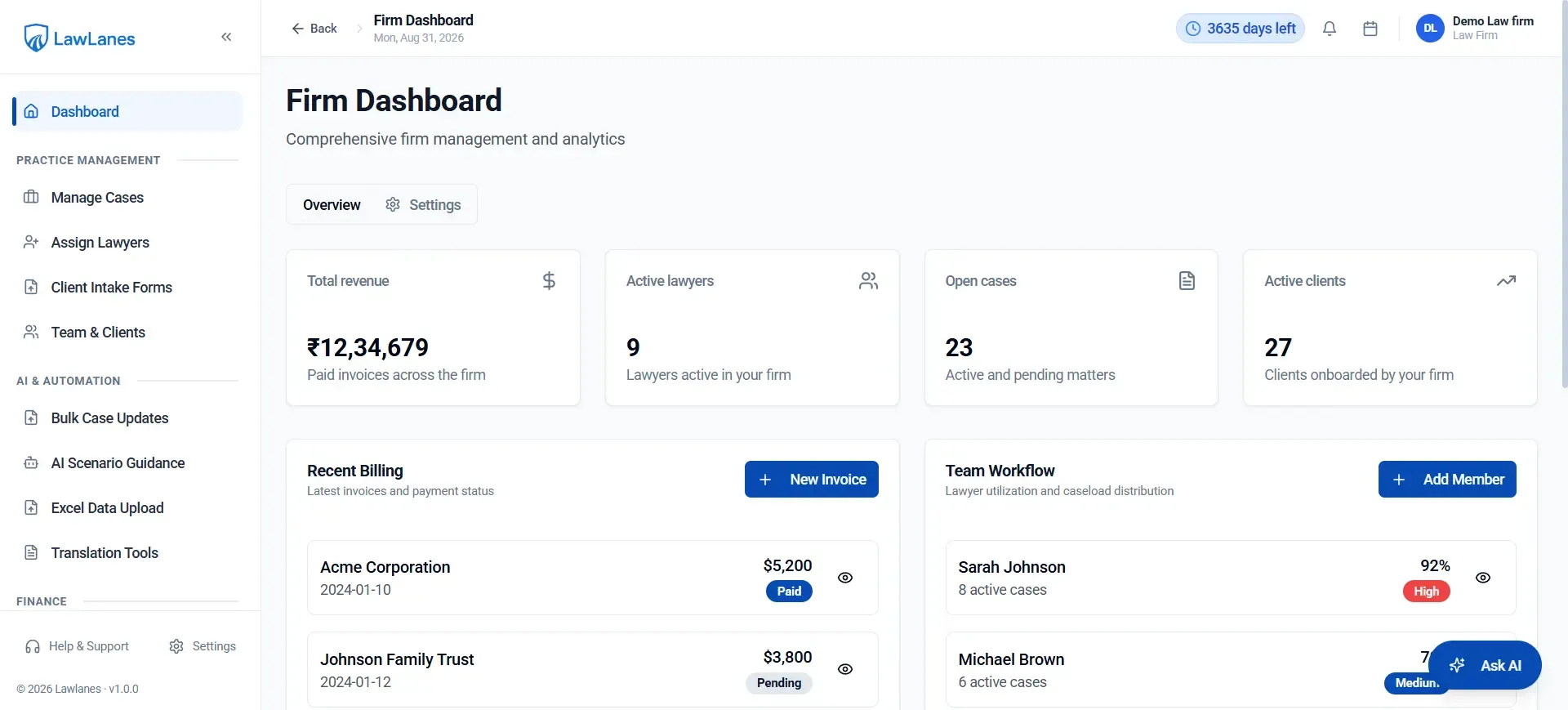
The Legal Intelligence Platform connects the operational layer of legal practice with AI-assisted legal work. Instead of treating AI as a separate chatbot, the platform can use documents and matter context as the working foundation for analysis, drafting, guidance and translation.
CORE FLOW: INTAKE → MATTER → DOCUMENTS → ANALYSE → DRAFT → REVIEW → HEARING → CLIENT → BILL → REPORT
AI THAT READS THE CASE FILE
Ground Legal AI in the Documents You Actually Need to Work With
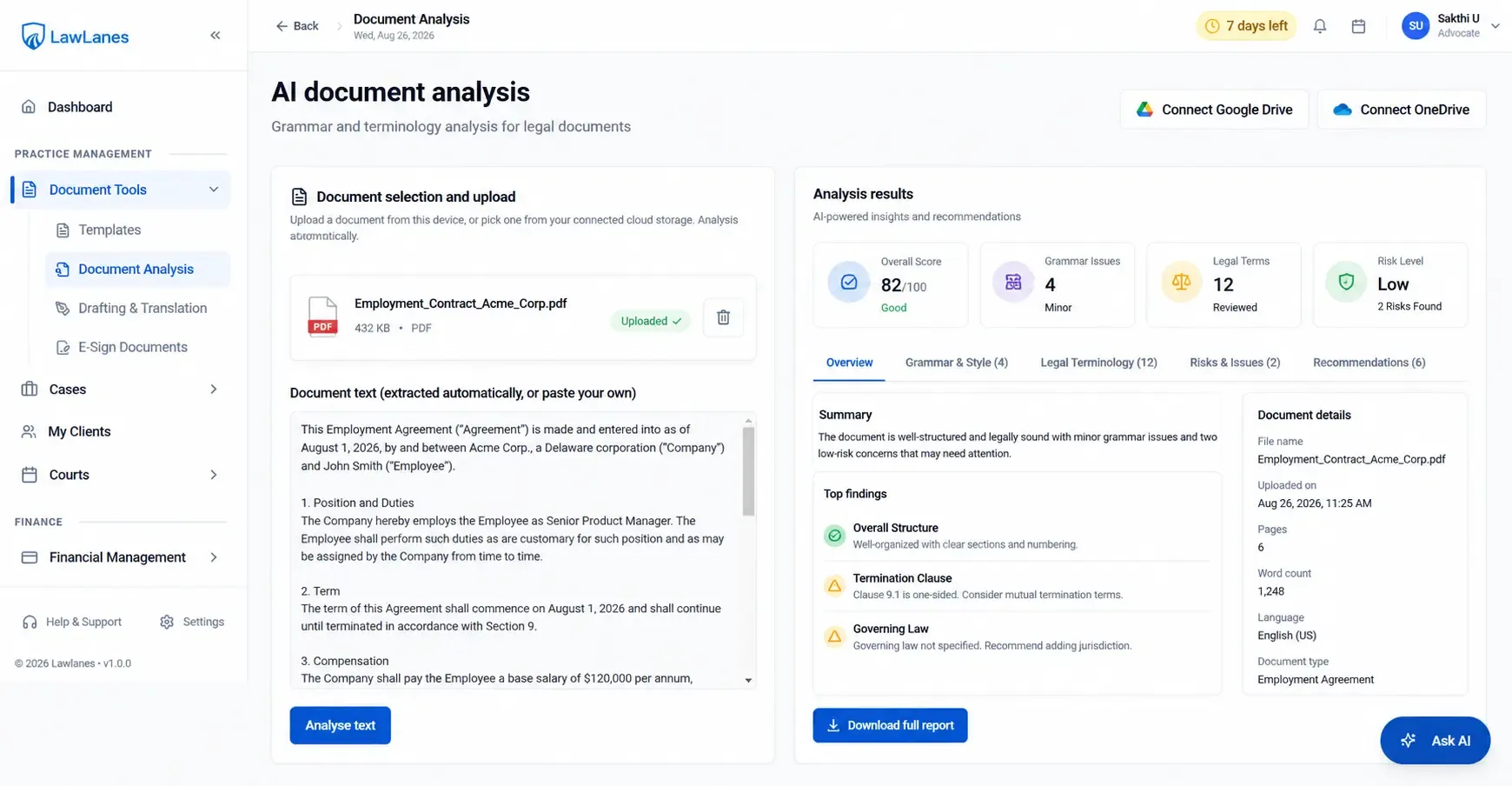
The platform’s AI works from uploaded pleadings, contracts and judgments rather than relying on the public internet as the sole context. The workflow supports issue spotting, precedent mapping, strategic recommendations, follow-up questions and exportable output.
Suggested workflow: Upload Matter Document → Extract Context → Identify Issues → Analyse → Ask Follow-Up Questions → Review Output → Save to Matter
Important: AI outputs are designed as assistance for qualified legal professionals, not as a substitute for professional legal judgment.
DOCUMENT INTELLIGENCE
Make the Document Repository Part of the Legal Workflow
Centralized repository per matter
Version tracking and document history
Searchable case documents
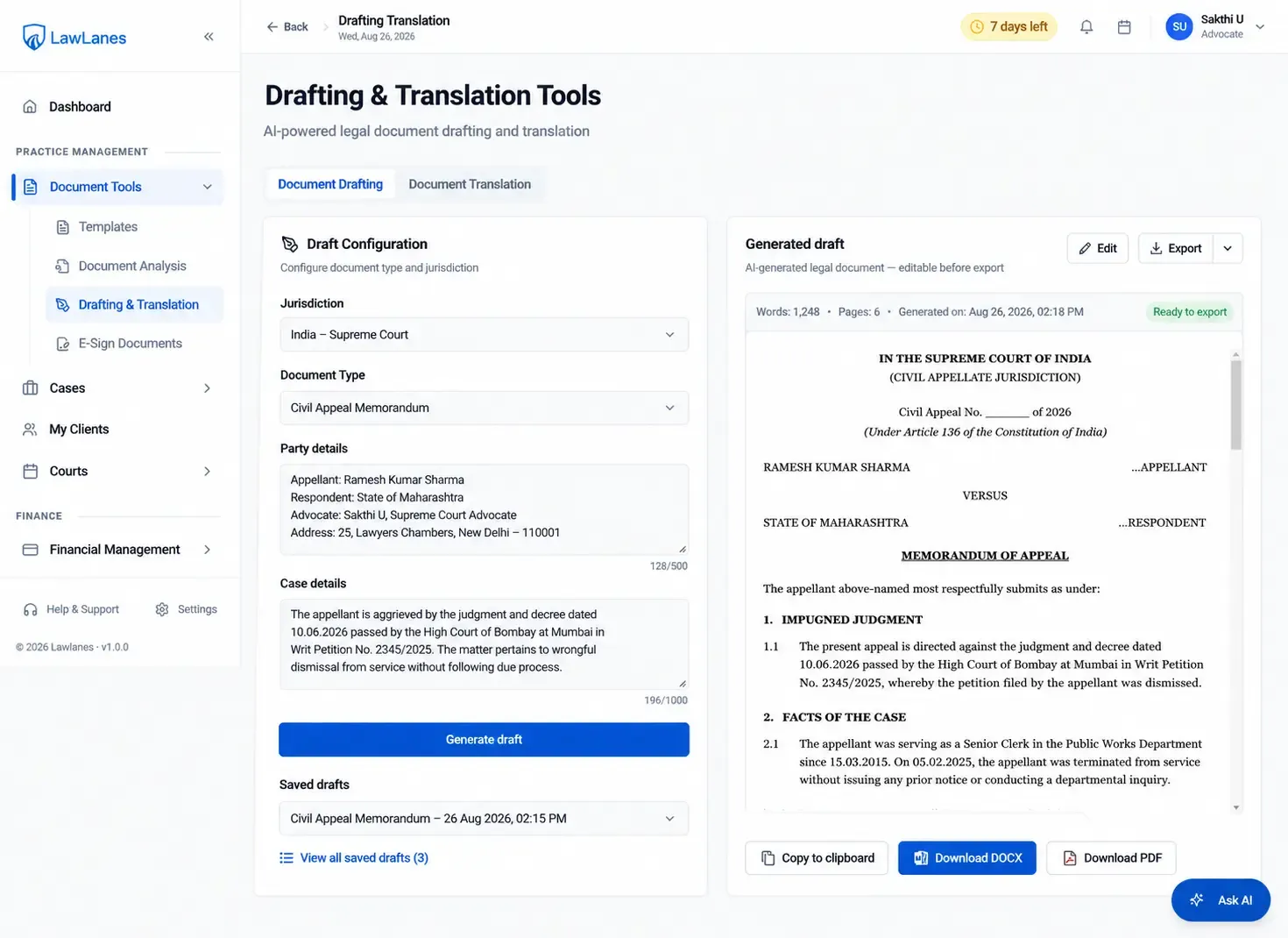
Drafting and proofreading workflows
Court-ready templates
Document upload and controlled sharing
E-signature with auditable status
Google Drive / OneDrive connectivity where configured
COURT & HEARING MANAGEMENT
Keep the Next Legal Event Visible
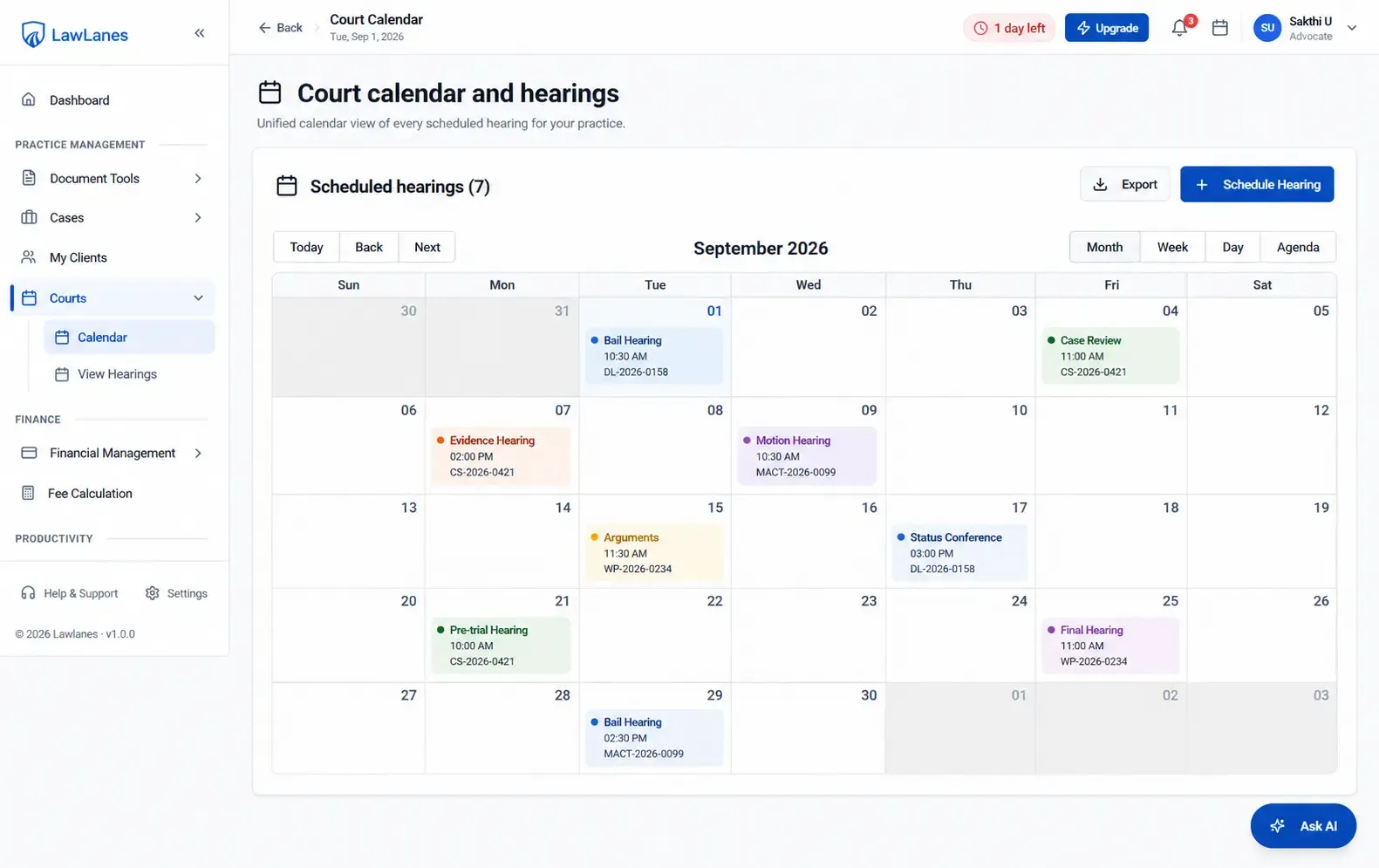
The platform supports hearing and meeting scheduling, cause-list PDF upload and matching of listed matters, along with reminders and case activity. This connects the legal calendar to the matter rather than treating it as a standalone diary.
Hearings and meetings
Cause list parsing / matching
Case-specific reminders
Matter activity timeline
Follow-up actions
CLIENT EXPERIENCE
Give Clients Visibility Without Giving Up Control
The client portal provides controlled access to case progress, hearing dates, documents, signatures, invoices and messaging. This reduces routine status requests while keeping communication tied to the relevant matter.
Live case progress
Next hearing and action items
Secure document upload
E-signature
Invoice visibility
Matter-scoped messaging
LEGAL FINANCIAL MANAGEMENT
Connect Legal Work to the Business of the Firm
Time tracking
Expense capture
Invoice generation
Online payment links
Transactions and client-money records
Revenue and caseload reporting
Lawyer utilisation visibility
ROLE-BASED WORKSPACES
Different Users Need Different Views of the Same Matter
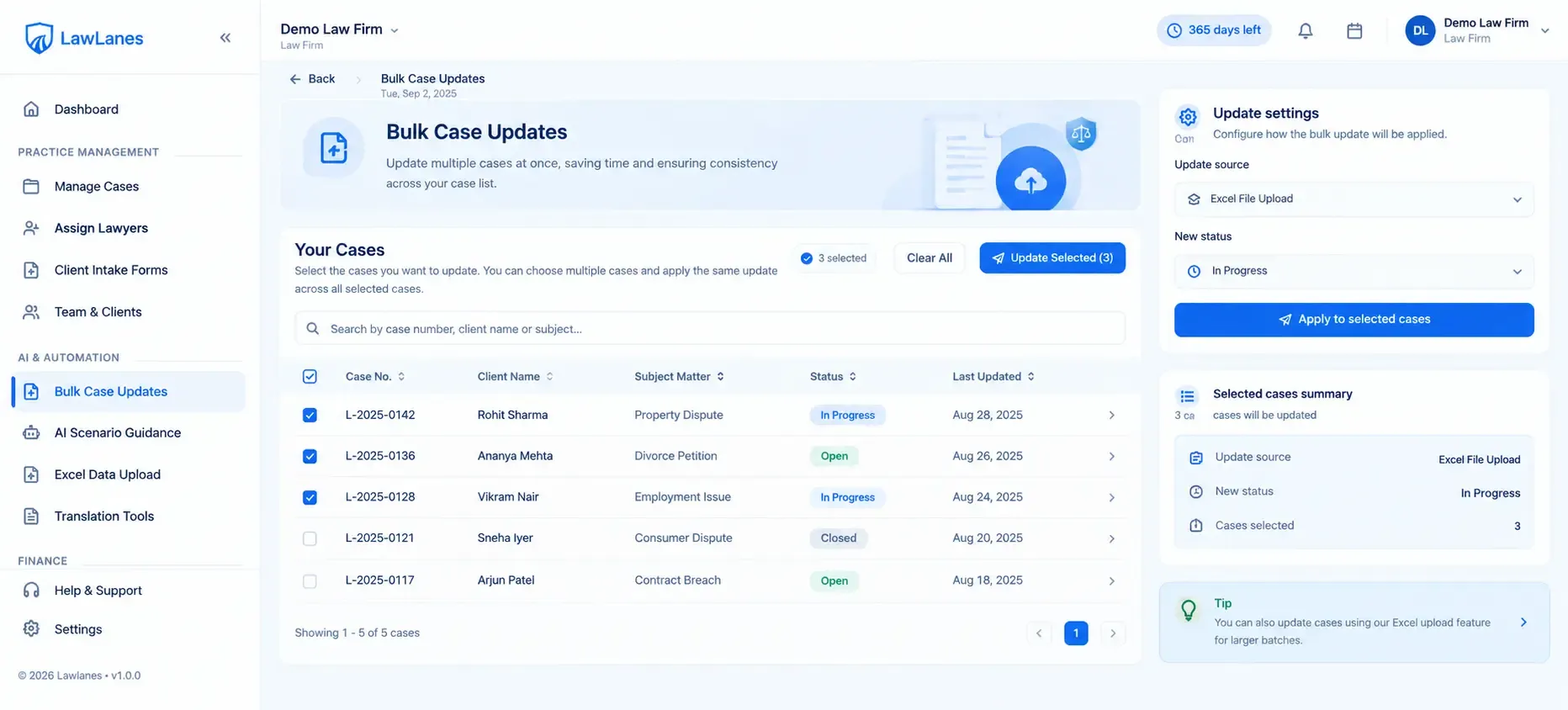
The platform provides role-oriented experiences for super administrators, firm lawyers, solo lawyers, law firms and clients. Position this as controlled workspace access rather than a single generic dashboard.
Firm administration
Lawyer / advocate workspace
Solo practice workspace
Client portal
Role-scoped permissions and matter access
SECURITY & CONFIDENTIALITY
Legal Intelligence Must Start With Confidentiality
Encryption in transit and at rest
Fine-grained role-based access
Secure cloud-storage connections
Workspace / matter isolation
Ethical-wall and privileged-access controls
Comprehensive audit trails
WHO IT IS FOR
Designed for Legal Professionals

Solo Advocates
Manage matters, hearings, documents, billing and client communication from one workspace without fragmented tools.

Boutique Law Firms
Coordinate multiple lawyers, cases, documents and clients seamlessly under one unified system.

Growing Law Firms
Standardize legal workflows while gaining firm-level reporting, oversight, and role controls.

Legal Operations Teams
Automate repetitive administrative work and improve visibility across matters.

Litigation Teams
Keep hearings, cause lists, filings, documents and matter activity connected to never miss a deadline.
COMPARISON
Legal Intelligence VS. Disconnected Legal Tools
| Area | Disconnected Workflow | Legal Intelligence Platform |
|---|---|---|
| Case information | Multiple systems | Matter-centered workspace |
| AI research | Separate chatbot | AI grounded in supplied matter documents |
| Documents | Separate storage and drafting tools | Connected matter repository and workflows |
| Hearings | Standalone calendar | Case-linked hearing management |
| Client updates | Email / calls | Controlled client portal and messaging |
| Billing | Separate finance process | Time, expense and invoice workflows |
| Practice visibility | Manual reporting | Connected firm analytics |
FAQ
Frequently Asked Questions
How does the platform combine legal practice management with AI capabilities?
It combines legal practice management with AI-assisted analysis, drafting, document intelligence and workflow automation so legal teams can work from a connected matter context.
What types of legal documents can the AI analyse, and what insights does it provide?
The AI can analyse uploaded pleadings, contracts and judgments, including issue spotting, precedent mapping and strategy-oriented recommendations.
What sources does the AI use to analyse legal matters and documents?
The AI works primarily from documents supplied by the user rather than the public internet as the primary context.
Does the platform support AI-assisted legal document drafting and automation?
Yes. The platform provides AI-assisted drafting for notices and other legal documents, alongside templates and document automation.
Does the platform support court calendars, hearing management and cause-list tracking?
Yes. The platform includes a court calendar, hearing management and cause-list PDF parsing/matching workflows.
What can clients access and manage through the client portal?
Yes. The client portal provides controlled access to progress, hearings, documents, signatures, invoices and messaging.
Does the platform support time tracking, expenses, invoicing, payments and client-money management?
Yes. The platform includes time tracking, expenses, invoices, payments and client-money records.
What security and access control features does the platform provide?
The platform includes role-based permissions, matter/document access controls, audit trails and other security mechanisms.
Can the platform integrate with Google Drive or OneDrive for document storage?
Yes. The platform can connect to firm-owned Google Drive or OneDrive so documents remain under the organisation’s account.
Does the platform replace the judgment or responsibility of qualified legal professionals?
No. The platform is designed as AI assistance for analysis and workflow acceleration, with qualified legal professionals retaining responsibility for legal judgment and final work product.
GET STARTED
Put Legal Intelligence Inside Every Matter
Connect case management, documents, hearings, clients and billing with AI-assisted legal work built around the context your team already owns.